How to Find Local Police Frequencies (and Why a Real Police Scanner Beats Apps)
Author: An RF hobbyist and scanner tech who programs radios for customers every day. Updated:
Shop pre-programmed police scanners →

Why listen locally at all?
If you’re monitoring for local safety, severe weather, wildfires, neighborhood crime, or you work in security/logistics, real-time and complete audio matters. Phone apps are convenient, but they depend on volunteer feeds, internet latency, and whatever talkgroups a feed owner decides to stream. A dedicated police scanner listens directly to the radio systems around you—no middleman—so you catch more traffic and earlier alerts.
Step-by-step: How to find your local police frequencies
Bring a notepad. Capture: System type (Analog/P25/DMR/NXDN), control channels, talkgroups, and any PL/DPL/NAC codes.
1) Start with the FCC License Search (ULS / FCC Data)
- Search by your city/county and service types (Public Safety).
- Note call signs, frequency pairs (repeater input/output), and emission designators (e.g., P25).
- Write down any sites or trunked system control channels you see.
What to capture: Frequencies, emission type (e.g., 8K10F1E = P25), licensee (Police Dept, Sheriff, County).
2) Cross-check on RadioReference (community database)
- Browse State → County.
- Identify if your area uses conventional or trunked (P25 Phase I/II, DMR, NXDN).
- For trunked systems, record control channels and talkgroup IDs (PD dispatch, TAC, detectives, EMS, fire ops).
Pro tip: Mark “must-have” (dispatch, primary TACs) vs. “nice-to-have” (special ops, air support).
3) Confirm with local agency pages & meeting packets
- City council/county board packets often list system upgrades or site builds.
- Department social media sometimes announces frequency changes during migrations.
4) Check broadcast feed descriptions—even if you don’t use the apps
- Feed owners often list exact talkgroups and what’s not included (e.g., no TAC channels).
- Use this to build a complete, local-first programming list.
5) Ask your local scanner community
Regional scanner forums, Facebook groups, and ham clubs often know the latest rebrands, rebanding, and encryption updates.

Decoding the jargon quickly
- Conventional: Single frequency per channel.
- Trunked: Control channel assigns traffic; you program the system + talkgroups, not individual frequencies.
- P25 Phase I/II: Common digital public-safety standard; many counties are on Phase II.
- DMR/NXDN: Other digital modes for public safety/municipal services.
- PL/DPL/NAC: Squelch codes to lock onto the correct agency and reduce noise.
- Encrypted: If a talkgroup is encrypted, nobody (apps or scanners) can legally decrypt it. Focus on what’s still open.
Apps vs. Real Police Scanners: What you actually get
| Feature | Phone Apps (streamed feeds) | Dedicated Police Scanner |
|---|---|---|
| Coverage | Only what a volunteer streams; many TAC/special channels omitted | You choose every non-encrypted talkgroup/frequency |
| Delay | Internet delay (5–60+ seconds) common | Near real-time RF reception |
| Reliability | If the feed goes down, you hear nothing | Independent of internet and volunteer uptime |
| Detail | Feed owner decides what to include | Full control: dispatch, ops, air, interop, weather nets |
| Local control | Minimal | Full: hold on incidents, record, prioritize, avoid |
| Range | Whatever the feed owner’s antenna hears | Your own antenna = more range & clarity |
| Cost | Low/Free | One-time investment; no subscriptions for local listening |
Want serious, complete, on-time local monitoring? A real scanner wins. Browse scanners →
Quick wins to hear more (faster)
- Prioritize control channels for trunked systems (P25).
- Create Favorites Lists by incident type: Dispatch, Fire Ops, EMS Tac, Air, Interop.
- Use location-based scanning (GPS/zip) when traveling—stay legal and relevant.
- Add weather & utilities: NOAA WX, public works, utilities—huge intel during storms.
- Upgrade the antenna: A window/roofline antenna can dramatically boost range.
What if your PD went encrypted?
It’s increasingly common for law enforcement TAC and some dispatch to be encrypted. You still get value from a scanner by monitoring:
- Fire & EMS operations (often in the clear)
- County/State interop & mutual aid
- Air support (helicopter)
- DOT/Highway/CalTrans for closures
- Weather nets and emergency management
We’ll check your county’s system and pre-load everything still monitorable. Get a pre-programmed scanner →
Choosing the right scanner (simple buyer’s guide)
- Your county is: Conventional analog only → Entry/mid analog scanner is fine.
- Your county is: P25 Phase I/II trunked → Choose a digital trunking scanner with Phase II support.
- You also see: DMR or NXDN → Make sure your model supports DMR/NXDN (add-on key or built-in).
- You want easy: Pre-programmed + zip-code scanning + optional GPS.
- You want performance: Add an external antenna + NMO mag-mount for the car.
Not sure what system you have? We’ll check and program it for you. See compatible models →

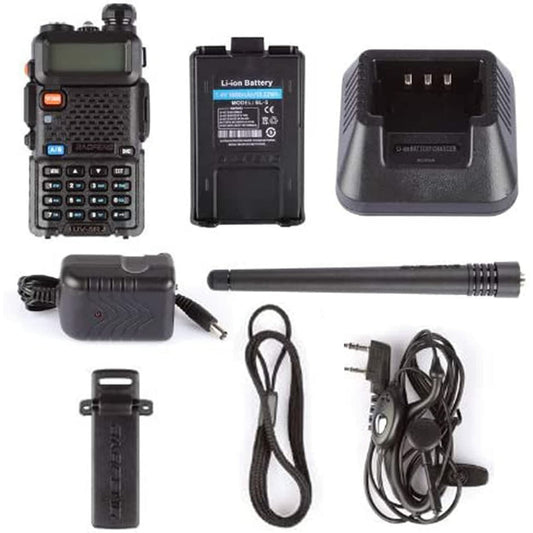
Baofeng UV-5R Mini
Our favorite everyday pick — tiny, dual-band, pre-programmed to your zip code.

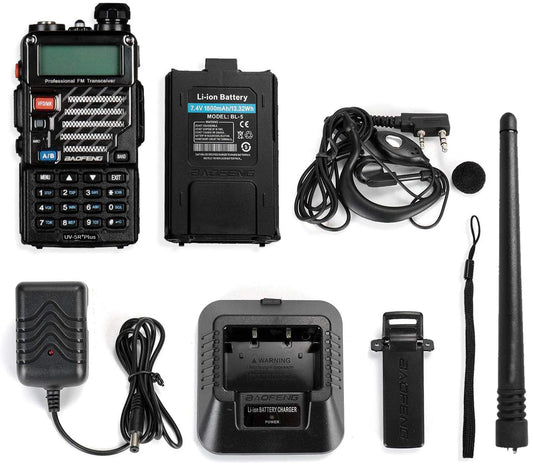
Baofeng UV-5R (Black)
The classic entry point — reliable dual-band scanning at the best price.

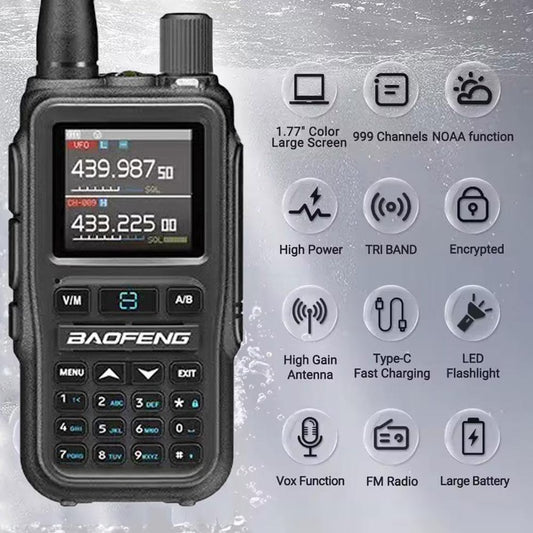
Baofeng UV-5R Plus
More memory, more features — the value pick with extra headroom.
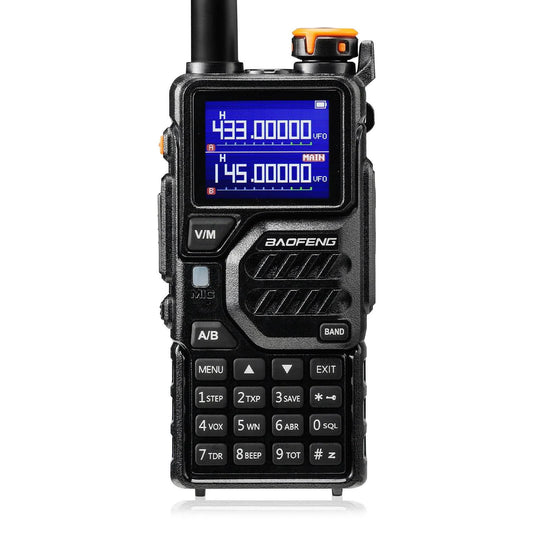
Baofeng K5 Plus Tri-Band
Tri-band coverage and 128 channels for serious listeners.
- ✓ Free US shipping
- ✓ Programmed to your ZIP
- ✓ Lifetime support
- ✓ 30-day returns
Legal notes (not legal advice)
- Owning a scanner is legal in most of the U.S., but mobile use is restricted in a few states and certain places (e.g., near schools/courts).
- Do not use a scanner to commit a crime or evade law enforcement.
- Encrypted channels are off-limits—there’s no legal decryption for consumers.
FAQ (rich-snippet ready)
How do I find the exact police frequencies in my city?
Start with the FCC and RadioReference for your county, confirm system type (conventional vs P25/DMR/NXDN), then gather control channels and talkgroups. Organize by dispatch, TAC, and interop.
Can apps hear everything my scanner can?
No. Apps only relay what a volunteer chooses to stream and are often delayed. A scanner hears directly from the system, with less delay and more channels.
What if my city encrypts police?
You can still hear fire ops, EMS (where permitted), air, DOT, mutual aid, weather nets, and public works. We program all available channels for you.
Which scanner should I buy for P25 Phase II?
Choose a current digital trunking model that explicitly lists P25 Phase II support. We stock pre-programmed options. Shop police scanners.